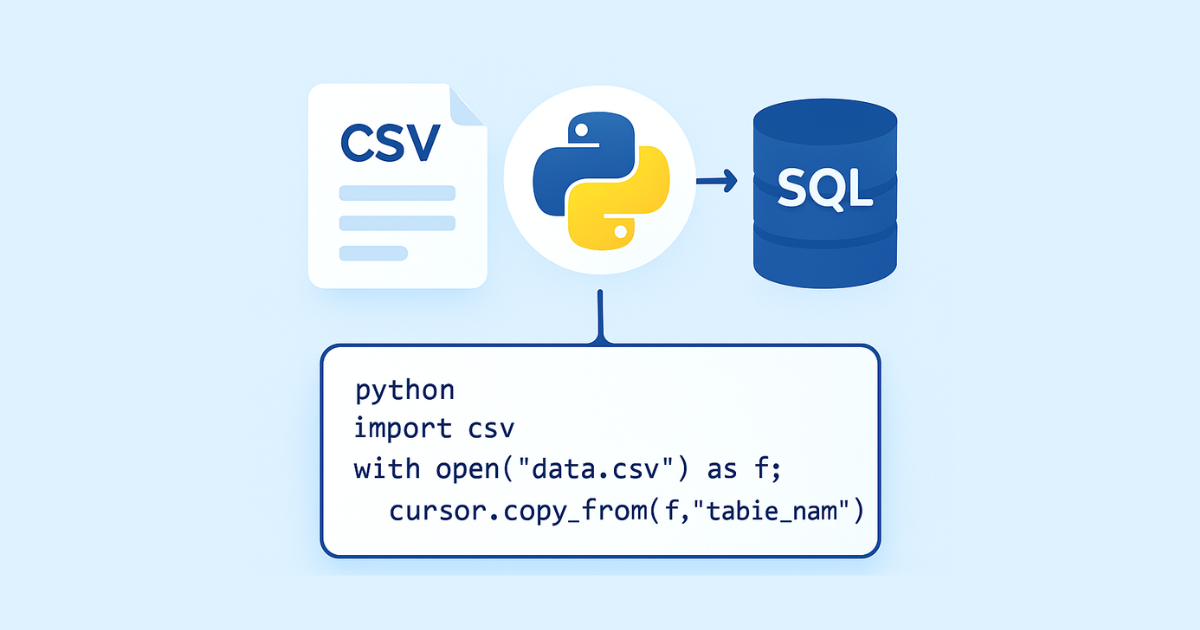
Converting CSV to SQL in Python is one of the most practical tasks in data handling, backend development, and automation. CSV files are simple, lightweight, and widely used for exporting and sharing data, but they are not ideal for long-term storage, querying, or relational integrity. SQL databases, on the other hand, are designed for structured data, fast retrieval, filtering, indexing, and safe insertion into applications.
In this guide, you will learn how to convert CSV to SQL in Python in a clean, reliable, and scalable way. We will cover the full process from reading CSV files to generating SQL INSERT statements, inserting data directly into databases, handling data types, escaping special characters, managing headers, dealing with missing values, and improving performance for large files.
By the end, you will be able to build your own Python script to transform CSV files into SQL statements or load them directly into a database such as SQLite, MySQL, or PostgreSQL.
Why Convert CSV to SQL?
CSV files are easy to create and easy to share. They are often used for:
exporting data from spreadsheets
transferring records between systems
storing temporary datasets
importing user data
exchanging data with APIs and ETL pipelines
However, CSV files also have limitations:
they do not enforce data types
they do not support relationships between tables
they are hard to query efficiently at scale
they do not provide constraints such as primary keys or foreign keys
they are not ideal for applications that need concurrency or indexing
SQL databases solve these problems. They allow you to:
store structured data safely
query records using
SELECT,JOIN,WHERE,ORDER BY, and moreenforce schema rules
index data for fast access
maintain consistency across applications
So converting CSV to SQL is useful when you want to move flat file data into a proper database structure.
What “Convert CSV to SQL” Actually Means
When people say “convert CSV to SQL,” they usually mean one of two things:
Generate SQL insert statements from a CSV file
Read CSV data and insert it directly into a SQL database
These are different workflows.
1. Generate SQL statements
This method reads the CSV file and creates SQL text like:
INSERT INTO users (id, name, email) VALUES (1, 'John', 'john@example.com');
INSERT INTO users (id, name, email) VALUES (2, 'Sara', 'sara@example.com');
This is useful when you want to:
export data into a
.sqlfileimport data later into another database
review the SQL before execution
share database-ready scripts
2. Insert directly into a database
This method connects Python to a database and inserts the CSV rows immediately.
This is useful when you want to:
load data into SQLite, MySQL, PostgreSQL, or another database
automate imports
build ETL pipelines
sync CSV data into an application database
Tools You Can Use in Python
Python gives you multiple ways to handle CSV-to-SQL conversion.
Built-in modules
csvfor reading CSV filessqlite3for working with SQLite databasesargparsefor building command-line tools
Popular third-party libraries
pandasfor easier data loading and transformationsqlalchemyfor working with different databasespsycopg2for PostgreSQLmysql-connector-pythonorPyMySQLfor MySQL
For a beginner-friendly script, the built-in modules are often enough.
Example CSV File
Suppose you have a CSV file named users.csv:
id,name,email,age,city
1,John Doe,john@example.com,28,London
2,Sara Ali,sara@example.com,31,Casablanca
3,Michael Brown,michael@example.com,24,Paris
4,Amina Yusuf,amina@example.com,29,Rabat
We will use this file throughout the examples.
Creating SQL Insert Statements from CSV in Python
Let us start with a script that reads a CSV file and prints SQL insert statements.
Simple version using csv
import csv

csv_file = "users.csv"
table_name = "users"

with open(csv_file, newline="", encoding="utf-8") as file:
    reader = csv.DictReader(file)
    columns = reader.fieldnames

    for row in reader:
        values = []
        for col in columns:
            value = row[col]

            if value == "" or value is None:
                values.append("NULL")
            else:
                escaped = value.replace("'", "''")
                values.append(f"'{escaped}'")

        columns_sql = ", ".join(columns)
        values_sql = ", ".join(values)

        sql = f"INSERT INTO {table_name} ({columns_sql}) VALUES ({values_sql});"
        print(sql)
Output
INSERT INTO users (id, name, email, age, city) VALUES ('1', 'John Doe', 'john@example.com', '28', 'London');
INSERT INTO users (id, name, email, age, city) VALUES ('2', 'Sara Ali', 'sara@example.com', '31', 'Casablanca');
INSERT INTO users (id, name, email, age, city) VALUES ('3', 'Michael Brown', 'michael@example.com', '24', 'Paris');
INSERT INTO users (id, name, email, age, city) VALUES ('4', 'Amina Yusuf', 'amina@example.com', '29', 'Rabat');
This works, but every value is treated as a string. In many databases, you may want numbers to remain numbers.
Improving the Script with Type Detection
CSV files store everything as text. When converting to SQL, it is often better to detect numeric values and insert them without quotes.
Here is a better version:
import csv

def to_sql_value(value):
    if value is None or value.strip() == "":
        return "NULL"

    value = value.strip()

    # Integer
    if value.isdigit() or (value.startswith("-") and value[1:].isdigit()):
        return value

    # Float
    try:
        float_value = float(value)
        return str(float_value)
    except ValueError:
        pass

    # Escape single quotes for SQL strings
    escaped = value.replace("'", "''")
    return f"'{escaped}'"

csv_file = "users.csv"
table_name = "users"

with open(csv_file, newline="", encoding="utf-8") as file:
    reader = csv.DictReader(file)
    columns = reader.fieldnames

    for row in reader:
        values = [to_sql_value(row[col]) for col in columns]
        sql = f"INSERT INTO {table_name} ({', '.join(columns)}) VALUES ({', '.join(values)});"
        print(sql)
Now the age column will be inserted as a number instead of a string.
Writing SQL to a File
Instead of printing SQL lines to the terminal, you may want to save them to a .sql file.
import csv

def to_sql_value(value):
    if value is None or value.strip() == "":
        return "NULL"

    value = value.strip()

    if value.isdigit() or (value.startswith("-") and value[1:].isdigit()):
        return value

    try:
        float(value)
        return value
    except ValueError:
        escaped = value.replace("'", "''")
        return f"'{escaped}'"

csv_file = "users.csv"
output_sql = "users_inserts.sql"
table_name = "users"

with open(csv_file, newline="", encoding="utf-8") as infile, open(output_sql, "w", encoding="utf-8") as outfile:
    reader = csv.DictReader(infile)
    columns = reader.fieldnames

    for row in reader:
        values = [to_sql_value(row[col]) for col in columns]
        sql = f"INSERT INTO {table_name} ({', '.join(columns)}) VALUES ({', '.join(values)});\n"
        outfile.write(sql)

print(f"SQL saved to {output_sql}")
This is useful when you need a SQL script for import into another system.
Handling Headers and Column Names
CSV files often include headers in the first row. csv.DictReader automatically uses these headers as dictionary keys.
Example:
name,email,age
John,john@example.com,28
Sara,sara@example.com,31
The columns become:
nameemailage
When writing SQL, these headers become the column list in the INSERT statement.
Important note about column names
If your CSV headers contain spaces, hyphens, or reserved SQL words, you may need to wrap them in quotes or backticks depending on the database.
For example:
first name,email-address,order
This can be problematic in SQL. A safer script should sanitize or map column names before generating queries.
Sanitizing Column Names
Here is a simple helper to clean column names:
import re

def sanitize_column_name(name):
    name = name.strip().lower()
    name = re.sub(r"\s+", "_", name)
    name = re.sub(r"[^a-z0-9_]", "", name)
    return name
You can apply it to all CSV headers before generating SQL.
Handling Special Characters in Data
Data often contains apostrophes, commas, and line breaks. These can break SQL if they are not escaped properly.
Example problem
name
O'Connor
If inserted directly into SQL, this would cause a syntax error.
Correct escaping
In SQL, a single quote is escaped by doubling it:
'O''Connor'
That is why the script replaces ' with ''.
Dealing with Missing Values
CSV files often contain missing values.
Example:
id,name,email,age
1,John Doe,john@example.com,28
2,Sara Ali,,31
3,Michael Brown,michael@example.com,
In SQL, missing values should usually become NULL.
That is why this part is important:
if value is None or value.strip() == "":
    return "NULL"
This ensures your SQL statements stay valid and represent missing data correctly.
Inserting CSV Data Directly into SQLite
Generating SQL text is useful, but sometimes it is better to insert the CSV rows straight into a database. SQLite is a good starting point because it is built into Python.
Example: import CSV into SQLite
import csv
import sqlite3

csv_file = "users.csv"
db_file = "example.db"
table_name = "users"

conn = sqlite3.connect(db_file)
cursor = conn.cursor()

with open(csv_file, newline="", encoding="utf-8") as file:
    reader = csv.DictReader(file)
    columns = reader.fieldnames

    # Create table manually for this example
    cursor.execute("""
        CREATE TABLE IF NOT EXISTS users (
            id INTEGER,
            name TEXT,
            email TEXT,
            age INTEGER,
            city TEXT
        )
    """)

    placeholders = ", ".join(["?"] * len(columns))
    column_list = ", ".join(columns)

    for row in reader:
        values = [row[col] if row[col] != "" else None for col in columns]
        cursor.execute(
            f"INSERT INTO {table_name} ({column_list}) VALUES ({placeholders})",
            values
        )

conn.commit()
conn.close()

print("CSV imported into SQLite successfully.")
This method uses parameterized queries, which is safer than manually building SQL strings.
Why Parameterized Queries Are Better
If you directly concatenate user data into SQL strings, you can run into problems such as:
SQL injection risks
quoting errors
broken queries from special characters
Parameterized queries avoid these problems by sending values separately from SQL syntax.
Example:
cursor.execute(
    "INSERT INTO users (name, email) VALUES (?, ?)",
    ("O'Connor", "oconnor@example.com")
)
This is much safer than manually writing:
sql = "INSERT INTO users (name, email) VALUES ('O'Connor', 'oconnor@example.com')"
The first version works correctly; the second one breaks.
Creating the Table Automatically from CSV
Sometimes you do not want to create the database table by hand. You want Python to infer the schema from the CSV file.
This is possible, but you must be careful because automatic schema detection is not always perfect.
Basic idea
Read the first row to get column names
Inspect sample values
Guess data types
Generate a
CREATE TABLEstatementInsert the rows
Example: basic type inference
import csv
import re

def infer_type(value):
    if value is None or value.strip() == "":
        return "TEXT"

    value = value.strip()

    if re.fullmatch(r"-?\d+", value):
        return "INTEGER"
    if re.fullmatch(r"-?\d+\.\d+", value):
        return "REAL"
    return "TEXT"
You would then examine sample rows to determine a suitable type for each column.
Complete Example: CSV to SQL File Generator
Below is a more complete script that:
reads a CSV file
handles missing values
escapes strings
detects integers and floats
writes SQL inserts to a file
import csv

def to_sql_value(value):
    if value is None or value.strip() == "":
        return "NULL"

    value = value.strip()

    if value.isdigit() or (value.startswith("-") and value[1:].isdigit()):
        return value

    try:
        float(value)
        return value
    except ValueError:
        pass

    escaped = value.replace("'", "''")
    return f"'{escaped}'"

def csv_to_sql(csv_path, sql_path, table_name):
    with open(csv_path, newline="", encoding="utf-8") as infile, open(sql_path, "w", encoding="utf-8") as outfile:
        reader = csv.DictReader(infile)
        columns = reader.fieldnames

        if not columns:
            raise ValueError("CSV file must have headers.")

        outfile.write(f"-- SQL generated from {csv_path}\n")
        outfile.write(f"-- Table: {table_name}\n\n")

        for row in reader:
            values = [to_sql_value(row[col]) for col in columns]
            sql = f"INSERT INTO {table_name} ({', '.join(columns)}) VALUES ({', '.join(values)});\n"
            outfile.write(sql)

    print(f"Generated SQL file: {sql_path}")

csv_to_sql("users.csv", "users.sql", "users")
Using Pandas for CSV to SQL Conversion
If you are already using pandas, the process can become easier.
Read CSV with pandas
import pandas as pd

df = pd.read_csv("users.csv")
print(df)
Generate SQL insert statements
import pandas as pd

def sql_value(value):
    if pd.isna(value):
        return "NULL"
    if isinstance(value, (int, float)):
        return str(value)
    escaped = str(value).replace("'", "''")
    return f"'{escaped}'"

df = pd.read_csv("users.csv")
table_name = "users"

for _, row in df.iterrows():
    columns = ", ".join(df.columns)
    values = ", ".join(sql_value(row[col]) for col in df.columns)
    sql = f"INSERT INTO {table_name} ({columns}) VALUES ({values});"
    print(sql)
Pandas is especially useful when you need cleaning, filtering, or transformation before generating SQL.
Bulk Insert Statements
One INSERT per row works fine for small files, but larger CSV files can be more efficient if you batch rows into a single statement.
Example:
INSERT INTO users (id, name, email) VALUES
(1, 'John Doe', 'john@example.com'),
(2, 'Sara Ali', 'sara@example.com'),
(3, 'Michael Brown', 'michael@example.com');
Python version
import csv

def to_sql_value(value):
    if value is None or value.strip() == "":
        return "NULL"

    value = value.strip()

    if value.isdigit():
        return value

    escaped = value.replace("'", "''")
    return f"'{escaped}'"

csv_file = "users.csv"
table_name = "users"

with open(csv_file, newline="", encoding="utf-8") as file:
    reader = csv.DictReader(file)
    columns = reader.fieldnames

    rows_sql = []

    for row in reader:
        values = [to_sql_value(row[col]) for col in columns]
        rows_sql.append(f"({', '.join(values)})")

    sql = f"INSERT INTO {table_name} ({', '.join(columns)}) VALUES\n"
    sql += ",\n".join(rows_sql)
    sql += ";"

    print(sql)
This reduces the number of SQL commands and can improve import speed.
Converting CSV to SQL for MySQL
When working with MySQL, you may need to adjust identifier quoting and data types.
Example MySQL insert generation
import csv

def to_sql_value(value):
    if value is None or value.strip() == "":
        return "NULL"
    escaped = value.replace("'", "''")
    return f"'{escaped}'"

csv_file = "users.csv"
table_name = "users"

with open(csv_file, newline="", encoding="utf-8") as file:
    reader = csv.DictReader(file)
    columns = [f"`{col}`" for col in reader.fieldnames]

    for row in reader:
        values = [to_sql_value(row[col]) for col in reader.fieldnames]
        sql = f"INSERT INTO `{table_name}` ({', '.join(columns)}) VALUES ({', '.join(values)});"
        print(sql)
MySQL often uses backticks around table and column names.
Converting CSV to SQL for PostgreSQL
PostgreSQL commonly uses double quotes for identifiers.
Example
import csv

def to_sql_value(value):
    if value is None or value.strip() == "":
        return "NULL"
    escaped = value.replace("'", "''")
    return f"'{escaped}'"

csv_file = "users.csv"
table_name = "users"

with open(csv_file, newline="", encoding="utf-8") as file:
    reader = csv.DictReader(file)
    columns = [f'"{col}"' for col in reader.fieldnames]

    for row in reader:
        values = [to_sql_value(row[col]) for col in reader.fieldnames]
        sql = f'INSERT INTO "{table_name}" ({", ".join(columns)}) VALUES ({", ".join(values)});'
        print(sql)
The quoting style depends on the database engine, so always adapt your script accordingly.
Common Problems and How to Fix Them
1. Broken SQL because of quotes
Problem: a value contains an apostrophe.
Fix: escape single quotes by doubling them.
value.replace("'", "''")
2. Empty cells not handled
Problem: blank CSV values may produce invalid SQL.
Fix: convert blank values to NULL.
3. Wrong data types
Problem: numbers inserted as strings.
Fix: detect integer and float values before quoting them.
4. Bad column names
Problem: spaces or special characters in headers.
Fix: sanitize or quote identifiers.
5. Large files run slowly
Problem: writing one SQL statement per row can be inefficient.
Fix: batch rows into multi-value inserts or insert directly with parameterized queries.
How to Convert CSV to SQL Safely
Safety matters, especially if the CSV comes from external sources.
Best practices
Use parameterized queries when inserting into a real database.
Escape string values correctly when generating SQL text.
Validate column names before building queries.
Handle missing values explicitly.
Use transactions for bulk database inserts.
Test with a small CSV first.
Example: Full SQLite Import Script
Here is a more practical script for importing a CSV file into SQLite.
import csv
import sqlite3

def clean_value(value):
    if value is None or value.strip() == "":
        return None

    value = value.strip()

    if value.isdigit():
        return int(value)

    try:
        return float(value)
    except ValueError:
        return value

def import_csv_to_sqlite(csv_file, db_file, table_name):
    conn = sqlite3.connect(db_file)
    cursor = conn.cursor()

    with open(csv_file, newline="", encoding="utf-8") as file:
        reader = csv.DictReader(file)
        columns = reader.fieldnames

        if not columns:
            raise ValueError("CSV has no headers.")

        column_defs = ", ".join([f'"{col}" TEXT' for col in columns])
        cursor.execute(f'CREATE TABLE IF NOT EXISTS "{table_name}" ({column_defs})')

        placeholders = ", ".join(["?"] * len(columns))
        column_list = ", ".join([f'"{col}"' for col in columns])

        rows = []
        for row in reader:
            values = [clean_value(row[col]) for col in columns]
            rows.append(values)

        cursor.executemany(
            f'INSERT INTO "{table_name}" ({column_list}) VALUES ({placeholders})',
            rows
        )

    conn.commit()
    conn.close()

import_csv_to_sqlite("users.csv", "example.db", "users")
print("Import completed.")
This version uses executemany, which is much faster for large datasets than running one insert at a time.
Building a Command-Line CSV to SQL Tool
If you want to reuse your script often, you can turn it into a command-line tool.
Example
import csv
import argparse

def to_sql_value(value):
    if value is None or value.strip() == "":
        return "NULL"
    value = value.strip()
    if value.isdigit():
        return value
    escaped = value.replace("'", "''")
    return f"'{escaped}'"

def csv_to_sql(csv_path, sql_path, table_name):
    with open(csv_path, newline="", encoding="utf-8") as infile, open(sql_path, "w", encoding="utf-8") as outfile:
        reader = csv.DictReader(infile)
        columns = reader.fieldnames

        for row in reader:
            values = [to_sql_value(row[col]) for col in columns]
            sql = f"INSERT INTO {table_name} ({', '.join(columns)}) VALUES ({', '.join(values)});\n"
            outfile.write(sql)

if __name__ == "__main__":
    parser = argparse.ArgumentParser(description="Convert CSV to SQL insert statements")
    parser.add_argument("csv_file", help="Input CSV file")
    parser.add_argument("sql_file", help="Output SQL file")
    parser.add_argument("table_name", help="Database table name")

    args = parser.parse_args()
    csv_to_sql(args.csv_file, args.sql_file, args.table_name)
This makes the script easy to reuse from the terminal.
When to Use CSV to SQL Conversion
This process is helpful in many situations:
migrating data from spreadsheets to databases
preparing sample data for development
importing customer lists or product catalogs
creating database seed files
automating data pipelines
moving flat files into analytics systems
It is especially valuable when the data is already stored in CSV format and you need to make it queryable.
When Not to Use SQL Insert Generation
Sometimes generating SQL insert statements is not the best option.
Avoid it when:
the dataset is extremely large
you need real-time syncing
the source data changes frequently
you only need temporary analysis
your database supports direct CSV import more efficiently
For huge datasets, direct bulk-loading tools are usually faster than manually generated insert statements.
Performance Tips
If your CSV files are large, keep these tips in mind:
Use executemany() instead of repeated execute() calls.
Wrap inserts in a transaction.
Avoid printing every SQL statement to the screen.
Process the file line by line instead of loading everything into memory.
Use bulk insert statements when generating SQL text.
Choose the right database import method for your use case.
Final Example: Clean and Practical CSV to SQL Script
Here is a final polished version you can adapt for your own projects:
import csv

def sql_escape(value):
    if value is None or value.strip() == "":
        return "NULL"

    value = value.strip()

    if value.isdigit():
        return value

    try:
        float(value)
        return value
    except ValueError:
        escaped = value.replace("'", "''")
        return f"'{escaped}'"

def csv_to_sql_file(csv_file, sql_file, table_name):
    with open(csv_file, newline="", encoding="utf-8") as infile, open(sql_file, "w", encoding="utf-8") as outfile:
        reader = csv.DictReader(infile)
        columns = reader.fieldnames

        if not columns:
            raise ValueError("CSV file has no headers")

        outfile.write(f"-- Generated from {csv_file}\n\n")

        for row in reader:
            values = [sql_escape(row[col]) for col in columns]
            sql = f"INSERT INTO {table_name} ({', '.join(columns)}) VALUES ({', '.join(values)});\n"
            outfile.write(sql)

    print(f"SQL written to {sql_file}")

csv_to_sql_file("users.csv", "users.sql", "users")
Conclusion
Converting CSV to SQL in Python is a valuable skill for developers, data analysts, and anyone working with structured data. Whether you want to generate SQL insert statements or import CSV rows directly into a database, Python gives you everything you need to do it efficiently.
The main ideas are simple:
read the CSV file
clean and escape the values
handle missing data
generate valid SQL or insert directly into a database
choose the right method for your database and file size
Once you understand the basic pattern, you can adapt it for SQLite, MySQL, PostgreSQL, or any other SQL engine. You can also expand it with schema detection, validation, logging, and command-line support.
Hassan Agmir
Author · Filenewer
Writing about file tools and automation at Filenewer.
Try It Free
Process your files right now
No account needed · Fast & secure · 100% free
Browse All Tools