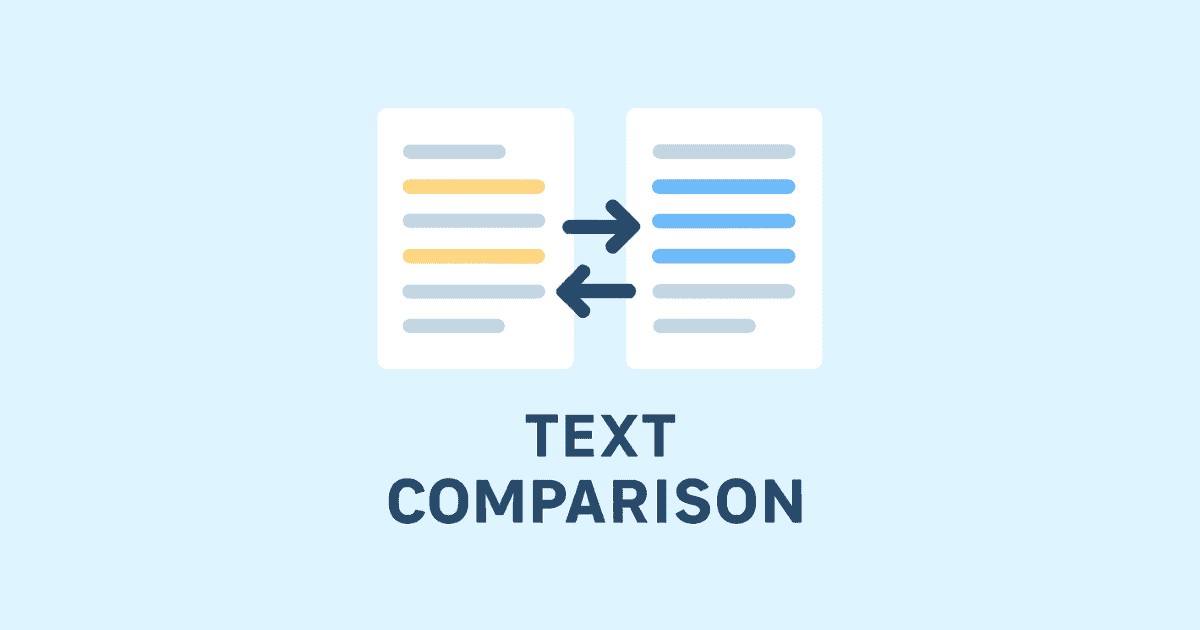
Comparing text is one of the most useful tasks in Python, especially when you work with files, documents, logs, code, or user input. Whether you want to compare two strings, detect small changes in a paragraph, or build a full text comparison tool, Python gives you several easy and powerful ways to do it.
In many real projects, text comparison is not just about checking whether two values are equal. It is about understanding what changed, where it changed, and how to present those differences in a clear way. That is why developers often use Python as a text diff tool, a string comparison tool, or even a document comparison tool when building internal utilities or web applications.
This article will show you how to compare text in Python in a practical, step-by-step way. You will learn basic string comparison, more advanced difference detection, file comparison, line-by-line diffing, and some useful techniques for comparing code and documents.
Why text comparison matters
Text comparison appears in many everyday programming tasks.
You may need it to:
compare two versions of a document
detect changes in configuration files
verify user input
compare generated output with expected output
check if a translation changed
analyze log files
compare files text in automation scripts
build a diff checker for your own tool
If you are working with software, content, or data, text comparison becomes a very common requirement. A simple equality check is sometimes enough, but often you need more detail. You may want to know exactly which words were added, removed, or modified.
That is where Python becomes very useful.
Basic string comparison in Python
The simplest way to compare two pieces of text in Python is with the equality operator.
text1 = "Hello World"
text2 = "Hello World"

if text1 == text2:
    print("The texts are the same")
else:
    print("The texts are different")
This works well when you only want to know whether the text is identical. However, it does not tell you where the difference is or what changed.
You can also use other comparison operators, but they are usually more useful for sorting strings than for checking content differences.
a = "apple"
b = "banana"

print(a < b)   # True
print(a > b)   # False
For text comparison, == is the most common starting point.
Case-sensitive and case-insensitive comparison
Sometimes text looks different because of uppercase and lowercase letters, but the meaning is the same. For example, "Python" and "python" are not equal in a case-sensitive comparison.
text1 = "Python"
text2 = "python"

print(text1 == text2)  # False
To ignore case, convert both strings to lowercase or uppercase before comparing them.
text1 = "Python"
text2 = "python"

if text1.lower() == text2.lower():
    print("Equal ignoring case")
else:
    print("Different")
This is one of the most common techniques in Python string comparison.
When to use case-insensitive comparison
Use case-insensitive comparison when:
comparing usernames
checking search input
validating tags or labels
comparing titles where case does not matter
Use case-sensitive comparison when case is important, such as passwords, code tokens, or exact text validation.
Ignoring leading and trailing spaces
Text can look different because of spaces at the beginning or end. Python gives you strip() to remove them before comparing.
text1 = "Hello"
text2 = "Hello "

print(text1 == text2)  # False

if text1 == text2.strip():
    print("Equal after trimming")
You can also remove spaces from both sides:
clean1 = text1.strip()
clean2 = text2.strip()
This is useful when comparing form inputs, copied text, or data from files.
Comparing normalized text
Real-world text may contain extra spaces, tabs, line breaks, or special formatting. If you want a more reliable comparison, you can normalize the text first.
def normalize_text(text):
    return " ".join(text.split())

text1 = "Hello   world"
text2 = "Hello world"

if normalize_text(text1) == normalize_text(text2):
    print("Same after normalization")
This approach removes repeated spaces and turns all whitespace into single spaces. It is useful when comparing content where formatting is not important.
You can also combine normalization with lowercasing.
def normalize_text(text):
    return " ".join(text.split()).lower()

text1 = "Hello   World"
text2 = "hello world"

print(normalize_text(text1) == normalize_text(text2))  # True
Finding differences in text with difflib
When you need more than a yes-or-no answer, Python’s built-in difflib module is one of the best tools available. It helps you compare two texts and see exactly what changed.
This makes it ideal for building a diff checker or a text difference checker.
Comparing lines with difflib
Here is a basic example:
import difflib

text1 = """Hello world
This is line one
This is line two"""

text2 = """Hello world
This is line 1
This is line two"""

diff = difflib.ndiff(text1.splitlines(), text2.splitlines())

for line in diff:
    print(line)
Output:
  Hello world
- This is line one
+ This is line 1
  This is line two
In the output:
lines starting with
-were removedlines starting with
+were addedlines starting with are unchanged
This is one of the easiest ways to find differences in text in Python.
Using unified diff format
If you have ever used Git or version control tools, you have probably seen a unified diff format. Python can generate this too.
import difflib

text1 = """line one
line two
line three"""

text2 = """line one
line 2
line three
line four"""

diff = difflib.unified_diff(
    text1.splitlines(),
    text2.splitlines(),
    fromfile="text1.txt",
    tofile="text2.txt",
    lineterm=""
)

for line in diff:
    print(line)
This gives a cleaner, more structured view of changes. It is great for comparing files text in scripts and command-line tools.
Comparing two strings character by character
Sometimes you want to know exactly which characters changed, not just which lines. You can compare strings character by character.
def compare_chars(text1, text2):
    max_len = max(len(text1), len(text2))

    for i in range(max_len):
        char1 = text1[i] if i < len(text1) else ""
        char2 = text2[i] if i < len(text2) else ""

        if char1 != char2:
            print(f"Difference at index {i}: '{char1}' != '{char2}'")

compare_chars("hello", "hallo")
Output:
Difference at index 1: 'e' != 'a'
This method is useful for small strings and debugging. It is not the best choice for large documents, but it helps you understand exact character-level changes.
Building a simple text comparison tool in Python
You can build a small text comparison tool using difflib. This can act as your own local compare text utility.
import difflib

def compare_text(text1, text2):
    lines1 = text1.splitlines()
    lines2 = text2.splitlines()

    diff = difflib.ndiff(lines1, lines2)

    for line in diff:
        print(line)

sample1 = """Python is great
It is easy to learn
It is powerful"""

sample2 = """Python is great
It is very easy to learn
It is powerful"""

compare_text(sample1, sample2)
This script prints the differences between the two texts line by line. You can later expand it into a GUI tool, a web app, or a command-line utility.
Comparing files text in Python
One of the most useful real-world tasks is comparing two text files. This is common when checking logs, documents, scripts, or configuration files.
Read and compare two files
def read_file(path):
    with open(path, "r", encoding="utf-8") as f:
        return f.read()

file1_text = read_file("file1.txt")
file2_text = read_file("file2.txt")

if file1_text == file2_text:
    print("Files are identical")
else:
    print("Files are different")
This tells you whether the files are exactly the same. If they are different, you may want to see the actual changes.
Show file differences with difflib
import difflib

def compare_files(file1, file2):
    with open(file1, "r", encoding="utf-8") as f1:
        lines1 = f1.readlines()

    with open(file2, "r", encoding="utf-8") as f2:
        lines2 = f2.readlines()

    diff = difflib.unified_diff(
        lines1,
        lines2,
        fromfile=file1,
        tofile=file2,
        lineterm=""
    )

    for line in diff:
        print(line)

compare_files("file1.txt", "file2.txt")
This is an excellent way to compare files text in a practical script.
Comparing documents in Python
A document comparison tool is often used for reports, articles, contracts, or exported content. Python can help compare plain text documents easily.
If the documents are plain text files, you can use the same techniques above. If they are Word documents, PDF files, or HTML files, you usually need to extract the text first before comparing them.
For plain text documents:
def compare_documents(doc1, doc2):
    with open(doc1, "r", encoding="utf-8") as f1:
        text1 = f1.read()

    with open(doc2, "r", encoding="utf-8") as f2:
        text2 = f2.read()

    if text1 == text2:
        print("Documents are identical")
    else:
        print("Documents are different")
If you want to make it more readable, use difflib to highlight the changes.
Comparing code with Python
Python is often used as a code comparison tool, especially when comparing snippets, functions, or entire source files.
Compare two Python code snippets
import difflib

code1 = """def add(a, b):
    return a + b"""

code2 = """def add(a, b):
    return a + b + 1"""

diff = difflib.ndiff(code1.splitlines(), code2.splitlines())

for line in diff:
    print(line)
This helps you quickly see what changed in the code.
Compare code files
import difflib

with open("old.py", "r", encoding="utf-8") as f:
    old_code = f.readlines()

with open("new.py", "r", encoding="utf-8") as f:
    new_code = f.readlines()

for line in difflib.unified_diff(old_code, new_code, fromfile="old.py", tofile="new.py"):
    print(line, end="")
This is useful for code review, debugging, and version tracking.
Highlighting differences in a readable way
Sometimes the default difflib output is enough, but in many cases you may want a more readable result for users. You can create your own output format.
import difflib

def pretty_compare(text1, text2):
    diff = difflib.ndiff(text1.splitlines(), text2.splitlines())

    for line in diff:
        if line.startswith("- "):
            print(f"Removed: {line[2:]}")
        elif line.startswith("+ "):
            print(f"Added: {line[2:]}")
        elif line.startswith("? "):
            continue
        else:
            print(f"Same: {line[2:]}")

text_a = """one
two
three"""

text_b = """one
2
three"""

pretty_compare(text_a, text_b)
This kind of output can make your compare text feature much more user-friendly.
Comparing text ignoring blank lines
Blank lines often create noise in comparisons. If blank lines are not important, remove them before comparing.
def remove_blank_lines(text):
    return "\n".join(line for line in text.splitlines() if line.strip())

text1 = """Hello

World"""

text2 = """Hello
World"""

print(remove_blank_lines(text1) == remove_blank_lines(text2))  # True
This is useful when comparing formatted content that may contain extra empty lines.
Comparing paragraphs instead of lines
For long articles or documents, line-by-line comparison may not always be enough. Sometimes it is better to compare by paragraph.
import difflib

def split_paragraphs(text):
    return [p.strip() for p in text.split("\n\n") if p.strip()]

text1 = """Paragraph one.

Paragraph two."""

text2 = """Paragraph one.

Paragraph 2."""

diff = difflib.ndiff(split_paragraphs(text1), split_paragraphs(text2))

for line in diff:
    print(line)
This works well for essays, blog drafts, reports, and formatted documents.
Comparing similarity instead of exact equality
Sometimes you do not need to know whether texts are exactly the same. You only need to know how similar they are.
Python’s difflib.SequenceMatcher can give you a similarity ratio.
import difflib

text1 = "Hello world"
text2 = "Hello brave new world"

ratio = difflib.SequenceMatcher(None, text1, text2).ratio()
print(ratio)
A result closer to 1.0 means the texts are more similar. A result closer to 0.0 means they are more different.
This is useful for:
fuzzy matching
duplicate detection
search suggestions
comparing slightly changed content
Comparing two texts online with Python in a web app
If you are building a website, you can create a feature that lets users compare two texts online. Python frameworks like Flask or Django make this easy.
Here is a simple Flask example:
from flask import Flask, request, render_template_string
import difflib

app = Flask(__name__)

HTML = """
<!doctype html>
<html>
<head>
    <title>Compare Text</title>
</head>
<body>
    <h1>Compare Text in Python</h1>
    <form method="post">
        <textarea name="text1" rows="10" cols="40"></textarea>
        <textarea name="text2" rows="10" cols="40"></textarea>
        <button type="submit">Compare</button>
    </form>
    <pre>{{ diff }}</pre>
</body>
</html>
"""

@app.route("/", methods=["GET", "POST"])
def index():
    diff_output = ""
    if request.method == "POST":
        text1 = request.form["text1"]
        text2 = request.form["text2"]

        diff = difflib.ndiff(text1.splitlines(), text2.splitlines())
        diff_output = "\n".join(diff)

    return render_template_string(HTML, diff=diff_output)

if __name__ == "__main__":
    app.run(debug=True)
This simple app can become the foundation of a full text comparison tool.
Comparing text with hashing
If you only want to know whether two large texts are identical, hashing can be very efficient.
import hashlib

def hash_text(text):
    return hashlib.sha256(text.encode("utf-8")).hexdigest()

text1 = "Hello world"
text2 = "Hello world"

if hash_text(text1) == hash_text(text2):
    print("The texts are identical")
else:
    print("The texts are different")
Hashing is fast and useful when comparing huge files, but it will not show you the actual differences. It only tells you whether the content is the same.
Best practices for text comparison in Python
To get the best results from your comparisons, follow these practices:
1. Normalize text first when needed
Remove unnecessary spaces, tabs, and case differences if the formatting does not matter.
2. Choose the right comparison method
Use plain equality for exact matches, difflib for differences, and hashing for fast identity checks.
3. Compare at the right level
Sometimes compare characters, sometimes lines, sometimes paragraphs. The best choice depends on the task.
4. Handle encodings properly
Always read files using the correct encoding, usually UTF-8.
5. Avoid false differences
Extra blank lines, trailing spaces, or line ending differences can create noise.
6. Make the output readable
If the result is for users, present changes clearly and simply.
Common use cases for Python text comparison
Python text comparison is helpful in many areas:
software development
content editing
data validation
document review
automated testing
log analysis
translation checks
website content monitoring
A simple Python script can become a powerful comparison engine for many kinds of applications.
Example: a reusable compare_text function
Here is a useful function you can reuse in your own project.
import difflib

def compare_text(text1, text2, ignore_case=False, ignore_spaces=False):
    if ignore_case:
        text1 = text1.lower()
        text2 = text2.lower()

    if ignore_spaces:
        text1 = " ".join(text1.split())
        text2 = " ".join(text2.split())

    if text1 == text2:
        return "The texts are identical."

    diff = difflib.unified_diff(
        text1.splitlines(),
        text2.splitlines(),
        fromfile="text1",
        tofile="text2",
        lineterm=""
    )

    return "\n".join(diff)

a = """Hello world
This is line one"""

b = """Hello World
This is line 1"""

print(compare_text(a, b, ignore_case=True))
This function can act as a foundation for a Python compare text utility.
Example: compare text files and save the result
You may also want to save the difference output to a file.
import difflib

def compare_and_save(file1, file2, output_file):
    with open(file1, "r", encoding="utf-8") as f1:
        text1 = f1.readlines()

    with open(file2, "r", encoding="utf-8") as f2:
        text2 = f2.readlines()

    diff = difflib.unified_diff(text1, text2, fromfile=file1, tofile=file2)

    with open(output_file, "w", encoding="utf-8") as out:
        out.writelines(diff)

compare_and_save("old.txt", "new.txt", "diff.txt")
This is especially useful in automation workflows.
When a simple equality check is enough
Not every task needs a full diff checker. In some cases, a simple == comparison is enough.
Use exact comparison when:
checking passwords
validating fixed strings
comparing IDs or codes
verifying exact output in tests
Use advanced comparison when:
comparing documents
inspecting changed lines
reviewing code edits
finding differences in text for users
Conclusion
Learning how to compare text in Python is valuable for beginners and professionals alike. Python gives you simple tools for exact matching, flexible methods for normalized comparison, and powerful modules like difflib for detailed difference detection.
Whether you want to compare two strings, compare files text, build a text diff tool, or create a document comparison tool, Python makes the process straightforward. You can start with a small script and later turn it into a full-featured compare text application for your website or desktop workflow.
Hassan Agmir
Author · Filenewer
Writing about file tools and automation at Filenewer.
Try It Free
Process your files right now
No account needed · Fast & secure · 100% free
Browse All Tools